

1. Start a new search
Open cutshort.io/profile/candidate-search/new, or use Talent database → Start a new search.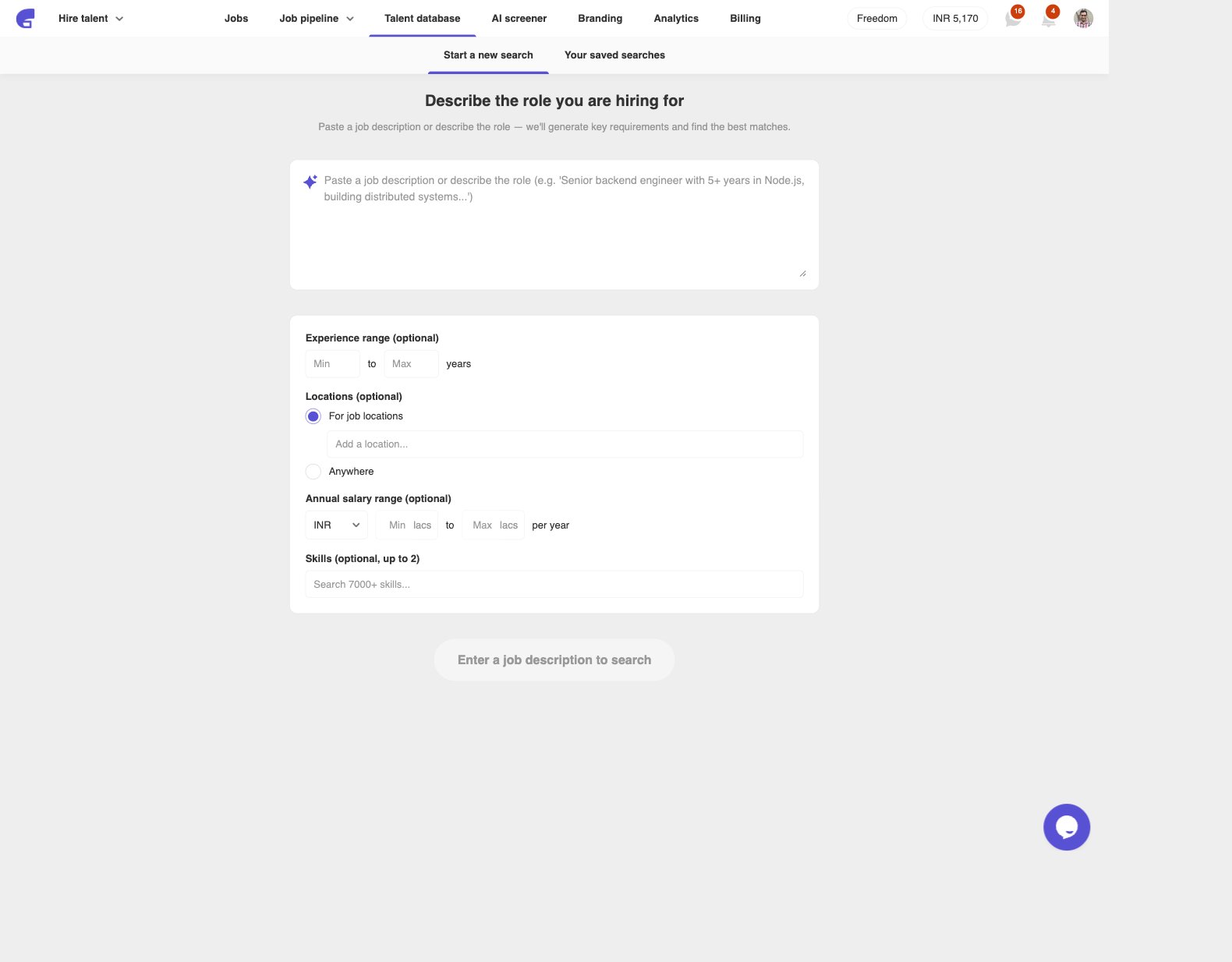
- Experience range
- Locations — For job locations or Anywhere
- Annual salary range
- Skills (up to 2)
2. Enter key requirements
Cutshort generates a first set of requirements from what you wrote. Edit them before the search starts.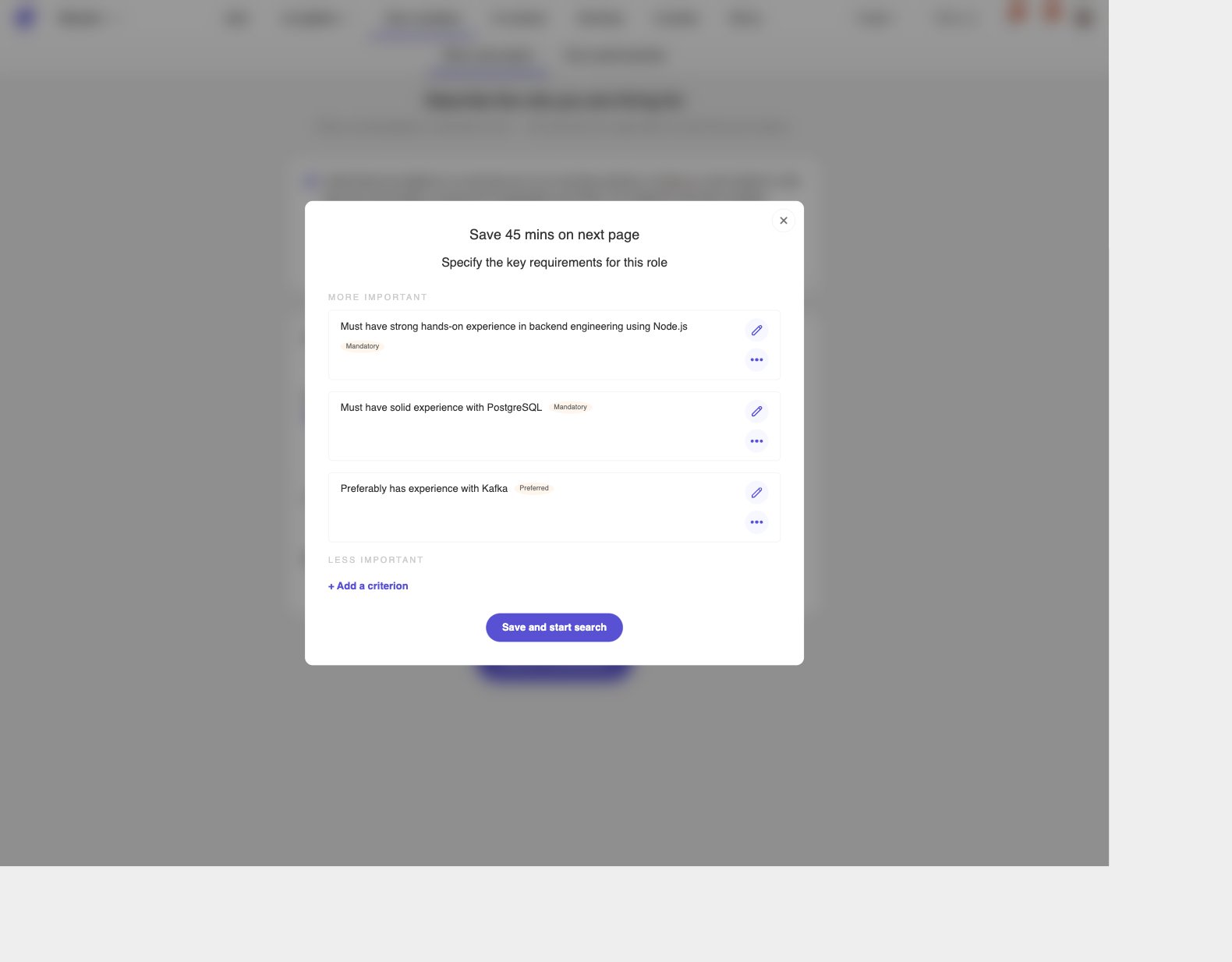
- Skills (Node.js, Figma, SQL)
- Kind of work done (built APIs, owned a growth funnel, shipped a mobile app)
- Team leading or management experience
- College tier
- Industry or domain (fintech, SaaS, healthcare)
3. Tighten results with filters
The results page shows relevant candidates for this search. Use the left Filters panel to narrow the list.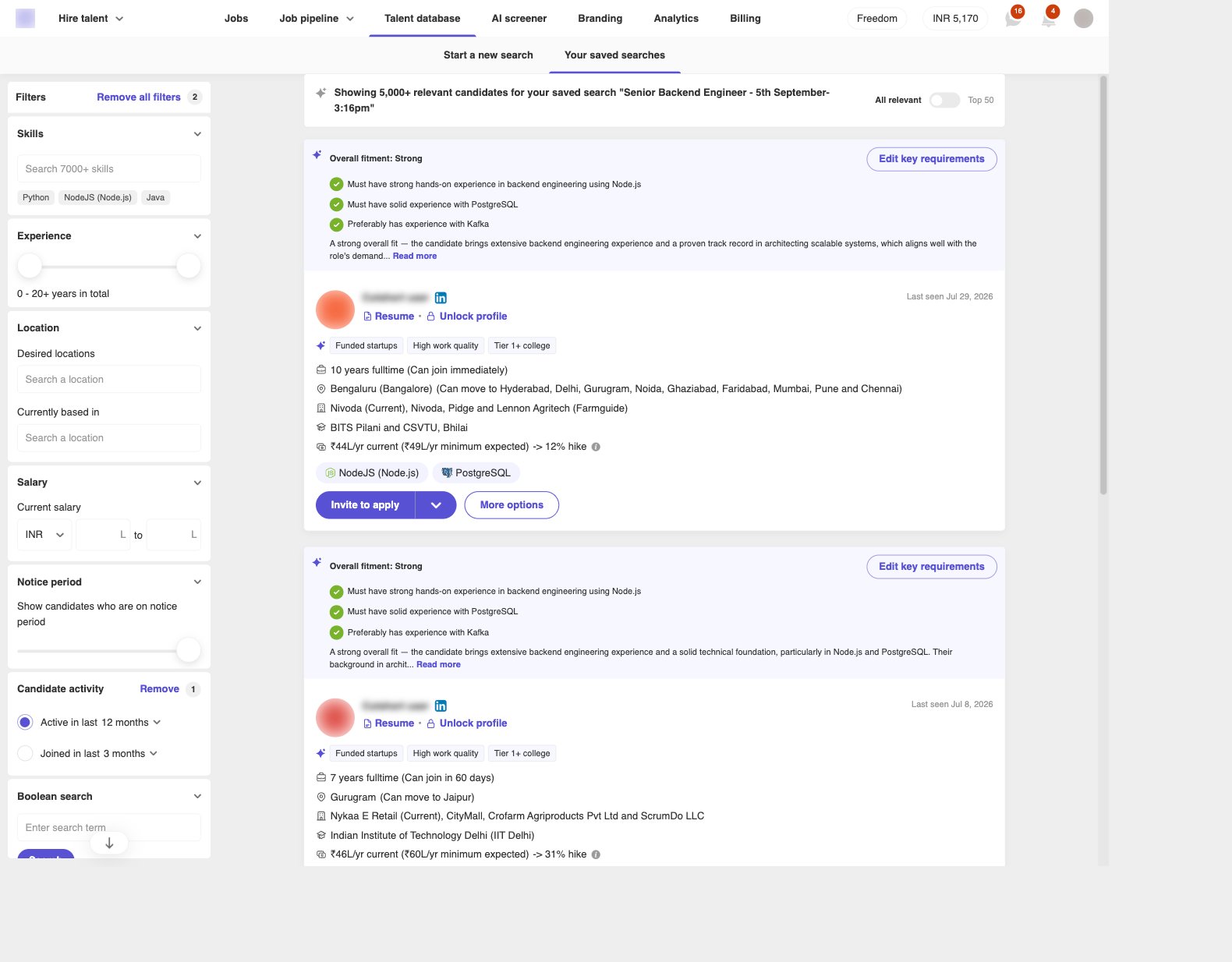
- Boolean search — exact words from the resume (for example
(kafka OR "event-driven") AND node) - Skills
- Experience
- Salary
- Location
- Notice period
- Industry
- Education pedigree
- Candidate activity
4. Use Top 50 to shortlist
Flip the toggle from All relevant to Top 50. Cutshort reviews the search results against your key requirements and keeps people who match the mandatory ones.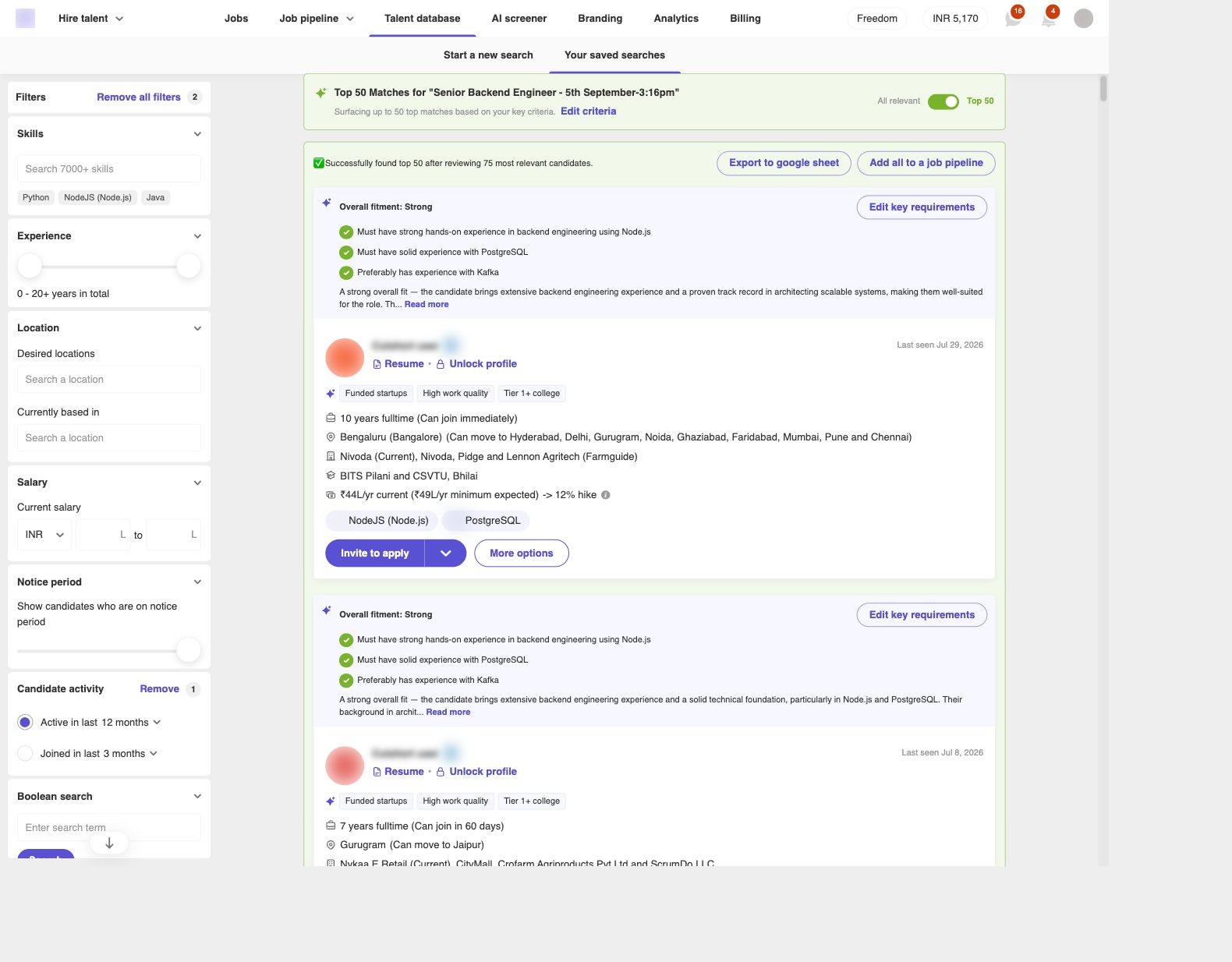
- Export to google sheet
- Add all to a job pipeline
If something goes wrong
- Search candidates is disabled — add more detail to the role description (50+ characters).
- Could not generate requirements — add them with + Add a criterion, or start the search without them.
- List is too broad — add a boolean, skill, location, salary, or notice-period filter, or turn on Top 50.
- List is too thin — remove a filter, or click Edit criteria / Edit key requirements and relax a mandatory line.