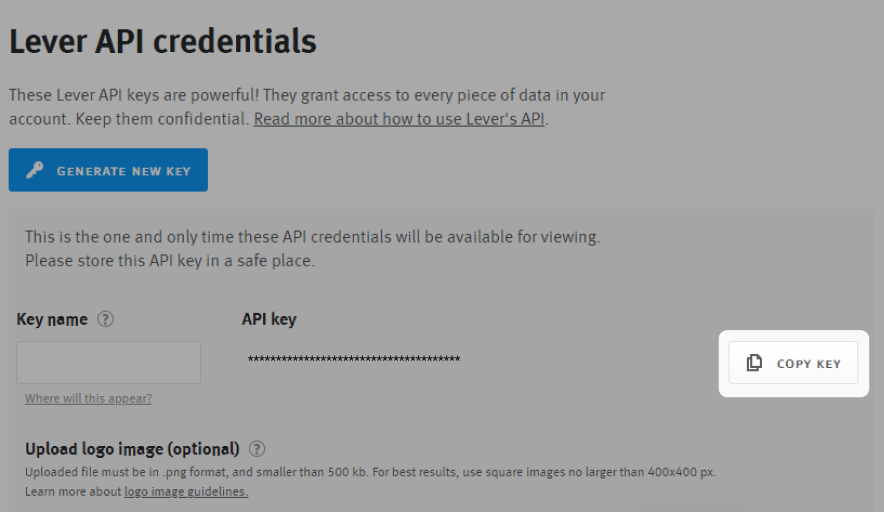
Prerequisites Please ensure you have Admin permissions in your company’s Lever instance. Creating the API key for Cutshort Please follow these steps:
  • Log in to your Lever account and click on your profile picture in the upper right-hand corner of any page. Then, select Settings from the dropdown menu.
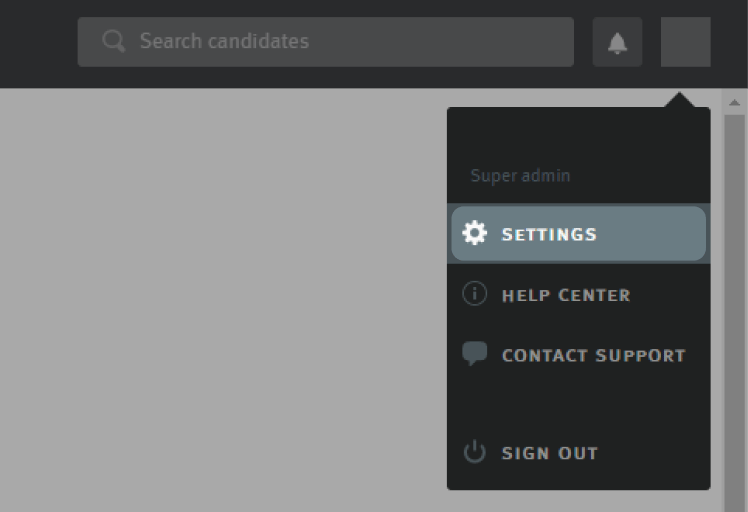
connect lever screenshot 1
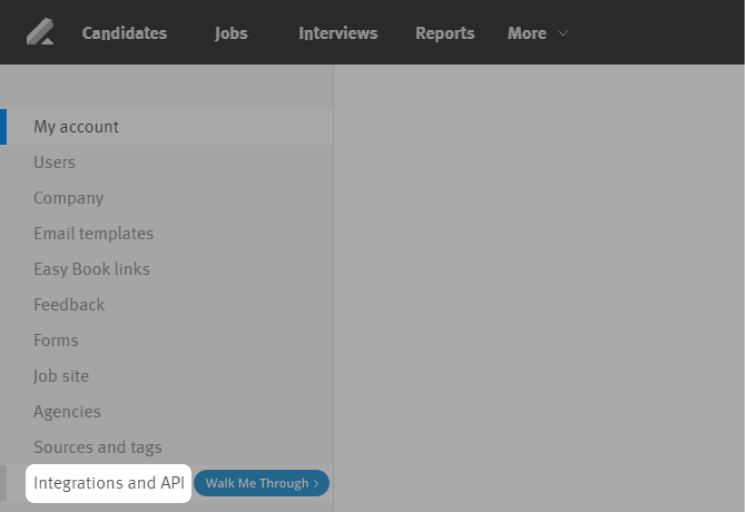
  • Click on Integrations and API on the left menu​
connect lever screenshot 2
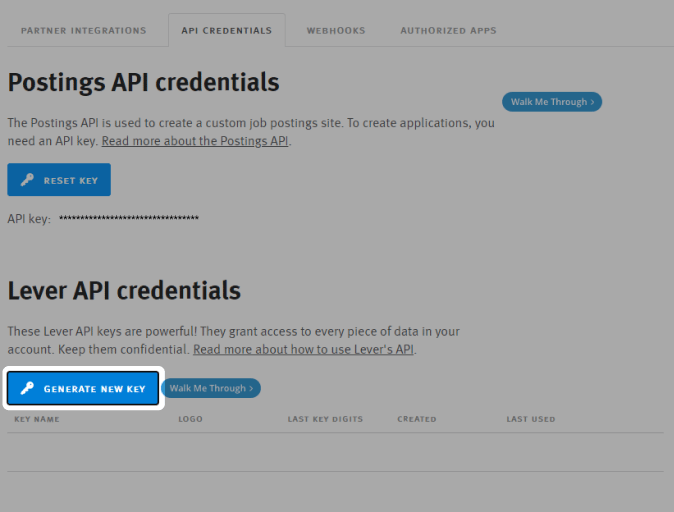
  • Select the API Credentials tab​
connect lever screenshot 3
  • Click Generate New Key
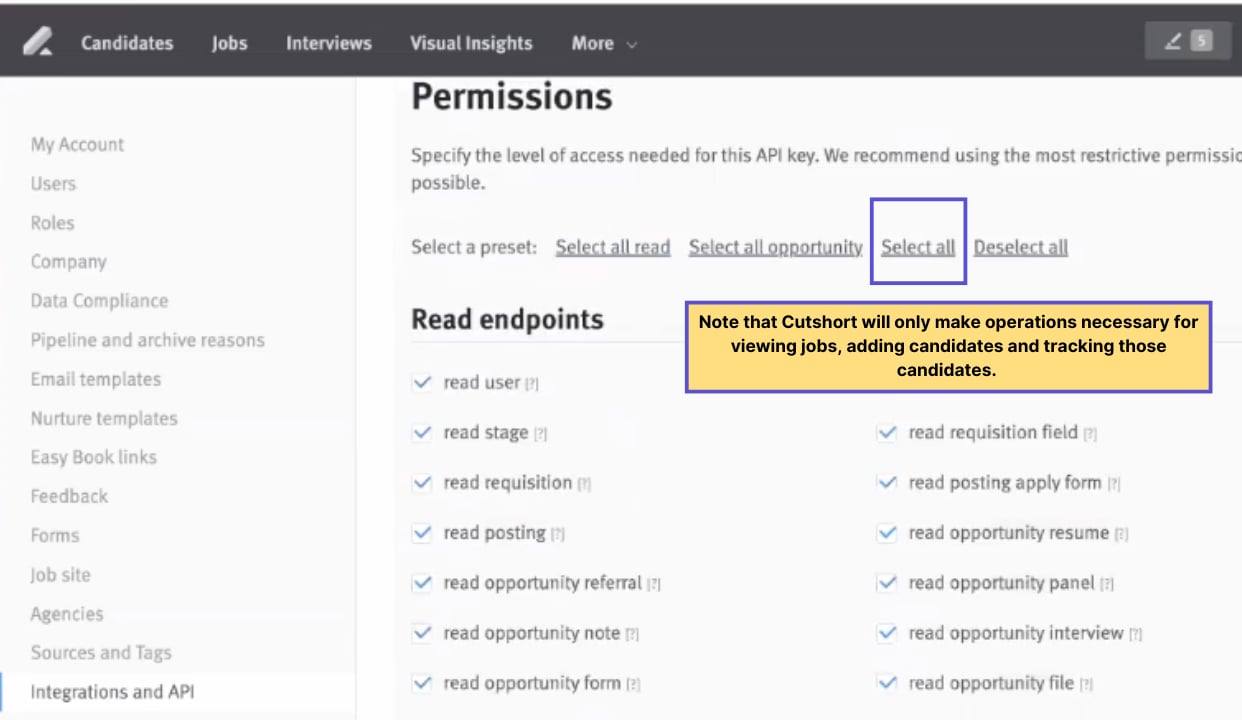
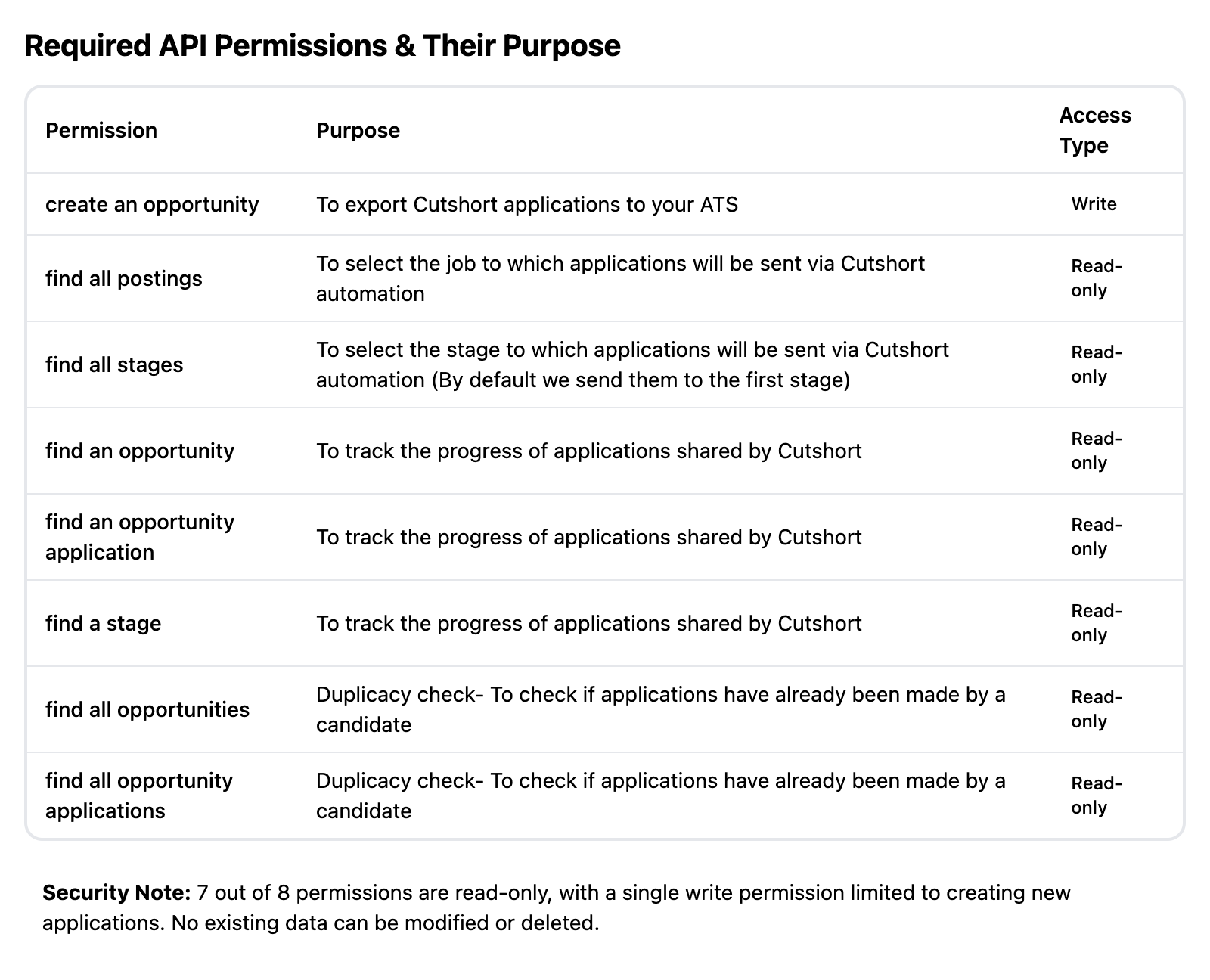
connect lever screenshot 4 Choose “Select all” permissions for this key Note that Cutshort will only make operations necessary for viewing jobs, adding candidates and tracking those candidates. connect lever screenshot 5 If you want to give granular permissions, please select these permissions: connect lever screenshot 6 Copy this API key and enter in your Cutshort account connect lever screenshot 7 Fields that Cutshort updates in your ATS When exporting candidate data from Cutshort to Lever, the following properties will be updated:
  • Name: Candidate’s full name.
  • Headline: Typically the company name or a brief description.
  • Emails: Candidate’s email address.
  • Phones: Candidate’s phone number.
  • Sources: This is hardcoded as “Cutshort”.
  • Origin: This is hardcoded as “sourced”.
  • Postings: The Job ID associated with the candidate.
  • Stage: The stage of the application process.
  • ResumeFile: The candidate’s resume file.