> ## Documentation Index
> Fetch the complete documentation index at: https://docs.cutshort.io/llms.txt
> Use this file to discover all available pages before exploring further.
# How do I connect Cutshort with Lever.co?
> Cutshort can send selected candidates to your Lever ATS via an API integration
**Prerequisites**
Please ensure you have Admin permissions in your company's Lever instance.
**Creating the API key for Cutshort**
Please follow these steps:
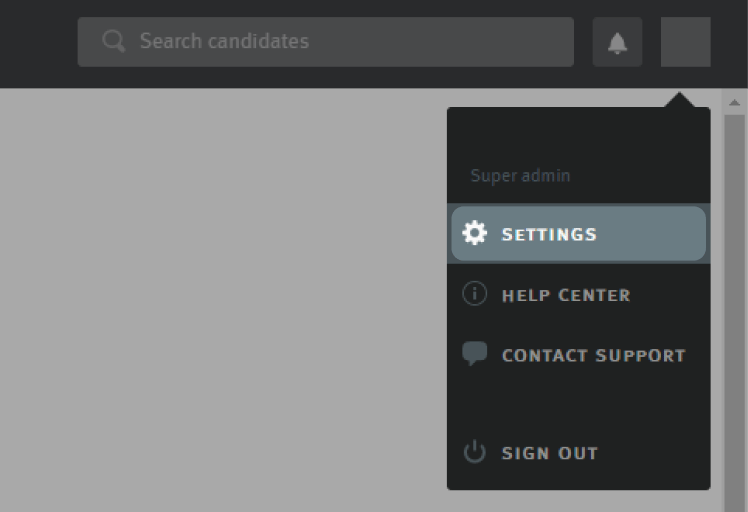
* Log in to your Lever account and click on your profile picture in the upper right-hand corner of any page. Then, select **Settings** from the dropdown menu.
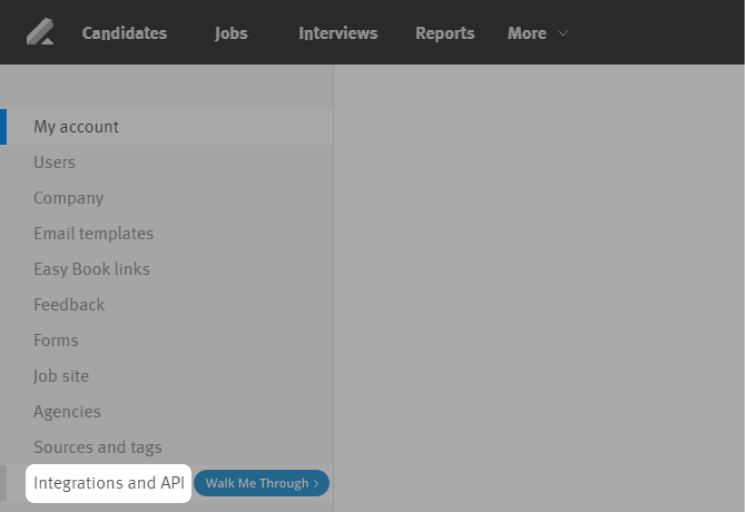
 * Click on **Integrations and API** on the left menu
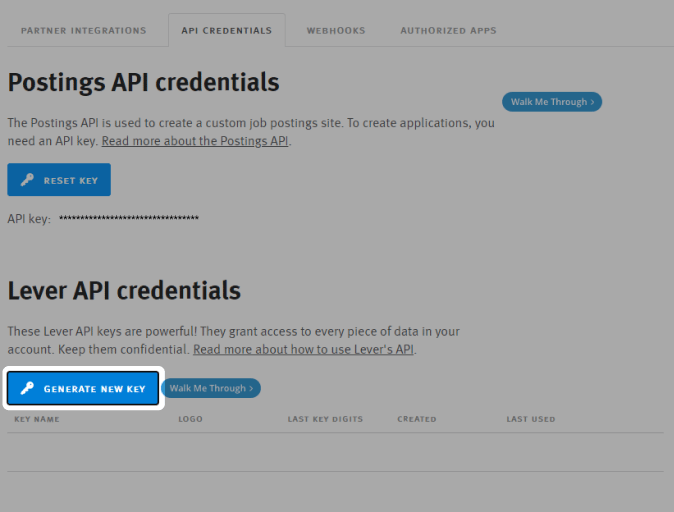
 * Select the **API Credentials** tab
 * Click **Generate New Key**
 Choose "Select all" permissions for this key
Note that Cutshort will only make operations necessary for viewing jobs, adding candidates and tracking those candidates.
Choose "Select all" permissions for this key
Note that Cutshort will only make operations necessary for viewing jobs, adding candidates and tracking those candidates.
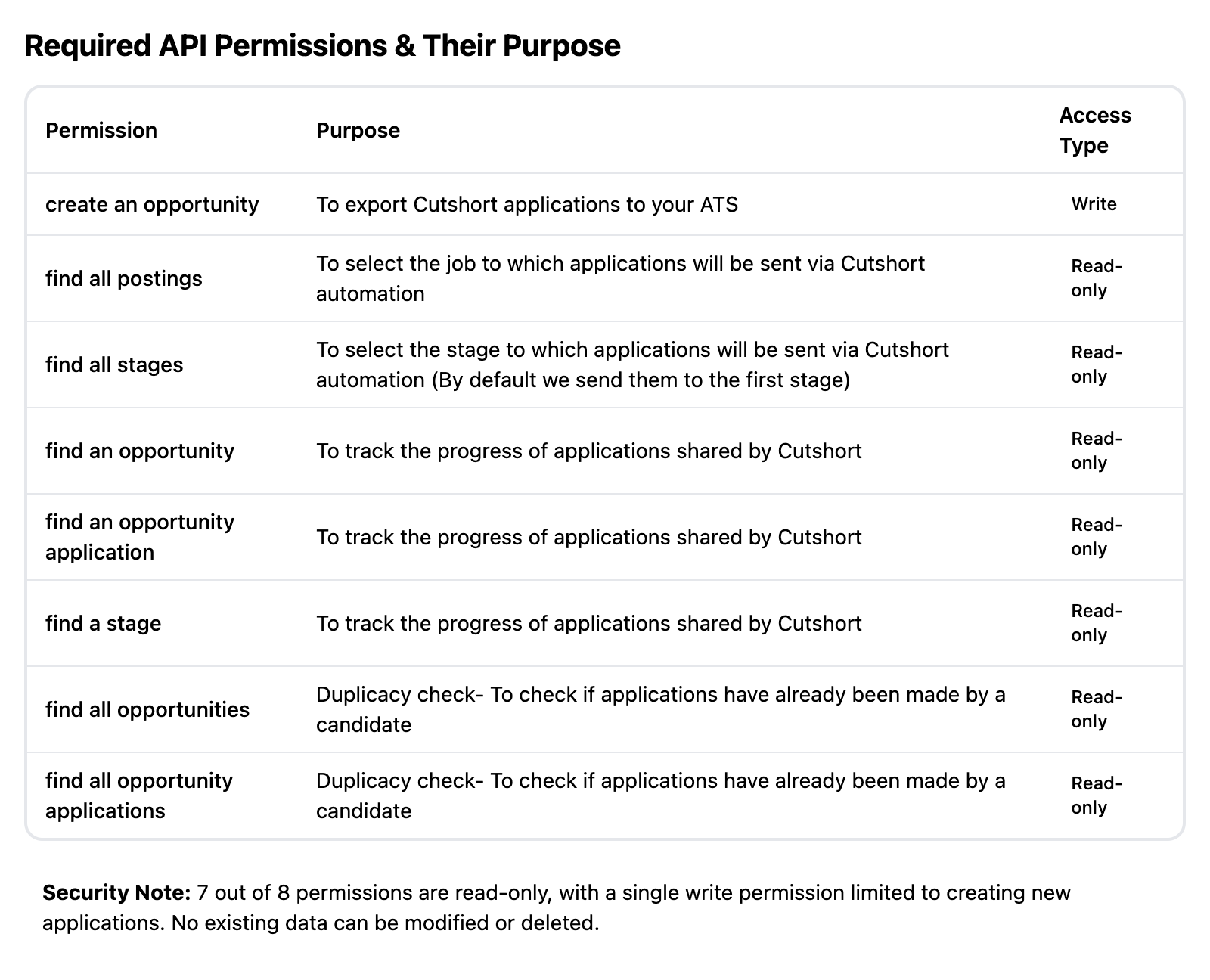
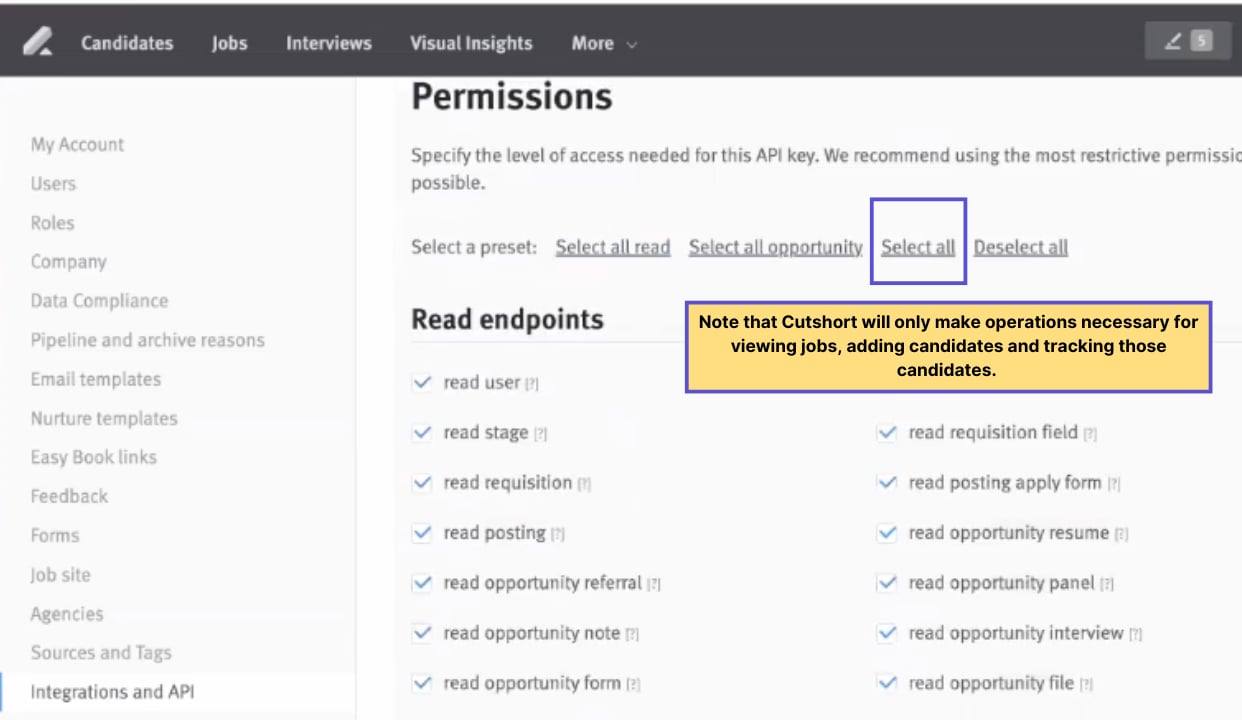 If you want to give granular permissions, please select these permissions:
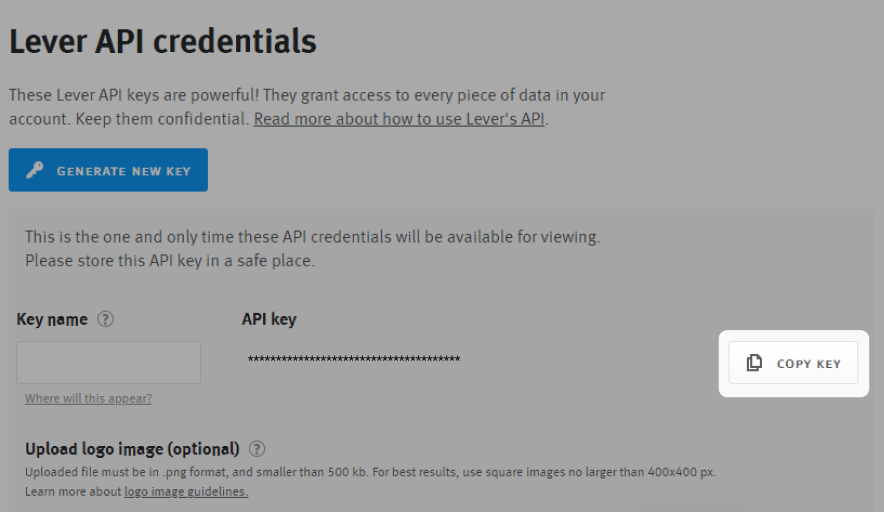
 Copy this API key and enter in your Cutshort account
 **Fields that Cutshort updates in your ATS**
When exporting candidate data from Cutshort to Lever, the following properties will be updated:
* Name: Candidate's full name.
* Headline: Typically the company name or a brief description.
* Emails: Candidate's email address.
* Phones: Candidate's phone number.
* Sources: This is hardcoded as "Cutshort".
* Origin: This is hardcoded as "sourced".
* Postings: The Job ID associated with the candidate.
* Stage: The stage of the application process.
* ResumeFile: The candidate's resume file.
**Fields that Cutshort updates in your ATS**
When exporting candidate data from Cutshort to Lever, the following properties will be updated:
* Name: Candidate's full name.
* Headline: Typically the company name or a brief description.
* Emails: Candidate's email address.
* Phones: Candidate's phone number.
* Sources: This is hardcoded as "Cutshort".
* Origin: This is hardcoded as "sourced".
* Postings: The Job ID associated with the candidate.
* Stage: The stage of the application process.
* ResumeFile: The candidate's resume file.